
ZWCAD 2027 Beta delivers comprehensive enhancements across key areas of CAD design, including intelligent drafting, data management, user interface, compatibility, and overall performance.
With a range of valuable improvements, ZWCAD continues to strengthen its position as a cost-effective CAD solution for small and medium-sized enterprises (SMEs). Let’s explore the new features and key enhancements in this release with Vietbay.
1. Import RVT Files
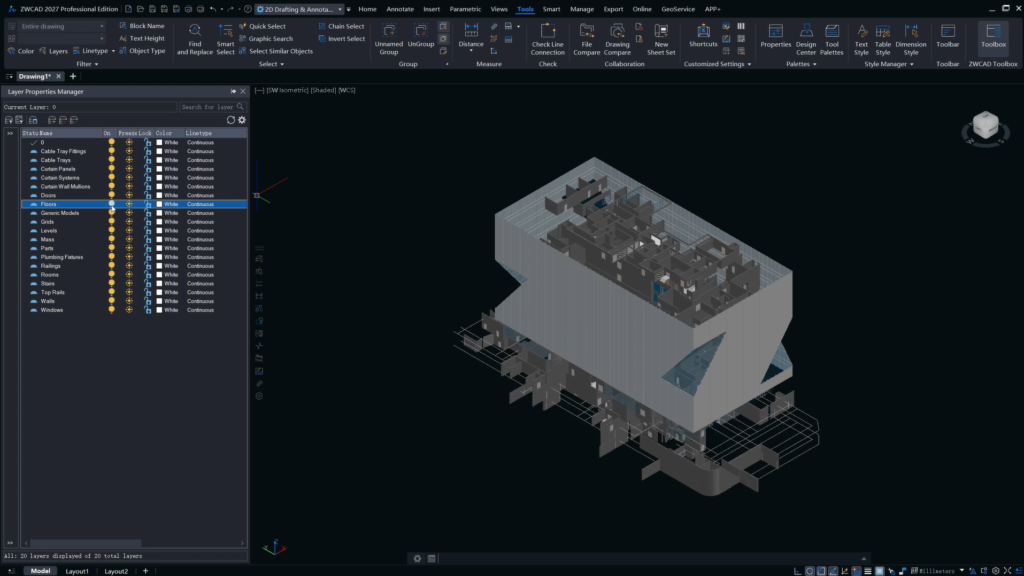
The new version supports direct import of RVT files from Revit versions 2015–2025. This enhancement helps bridge the gap between BIM and CAD data, enabling highly accurate conversion of 3D building information models into 2D technical drawings. Some model properties are also preserved, allowing users to manage them conveniently through layer management tools.
2. Smart Block Placement
The new Snap Align feature identifies key geometric points on target objects with precision. The system automatically rotates or flips selected blocks and object groups to align and arrange them quickly and accurately.
When inserting objects, users can:
- Automatically rotate or flip blocks to match the target geometry.
- Use keyboard shortcuts to rotate objects by 90° or flip them horizontally or vertically.
3. Smart Merge
The automatic drawing layout and batch plotting functions have been further optimized. This update introduces a preview mode and allows users to customize the maximum number of drawings displayed per row.
These improvements provide greater flexibility when arranging drawing sheets and printing drawing sets, helping users streamline documentation workflows and improve productivity.
4. Data Extraction
The Data Extraction workflow has been significantly enhanced, allowing users to extract data from multiple files simultaneously, streamline information, and create linked tables that update automatically.
The Measurement Table feature now supports length tables and combined length-and-area tables, along with batch selection. The MEASUREGEOM command also supports measuring volume, total area, and total length.
The Coordinate Extraction feature enables users to quickly extract key points from multiple objects and automatically number them in a table, improving both processing speed and drawing data accuracy.
5. Section View
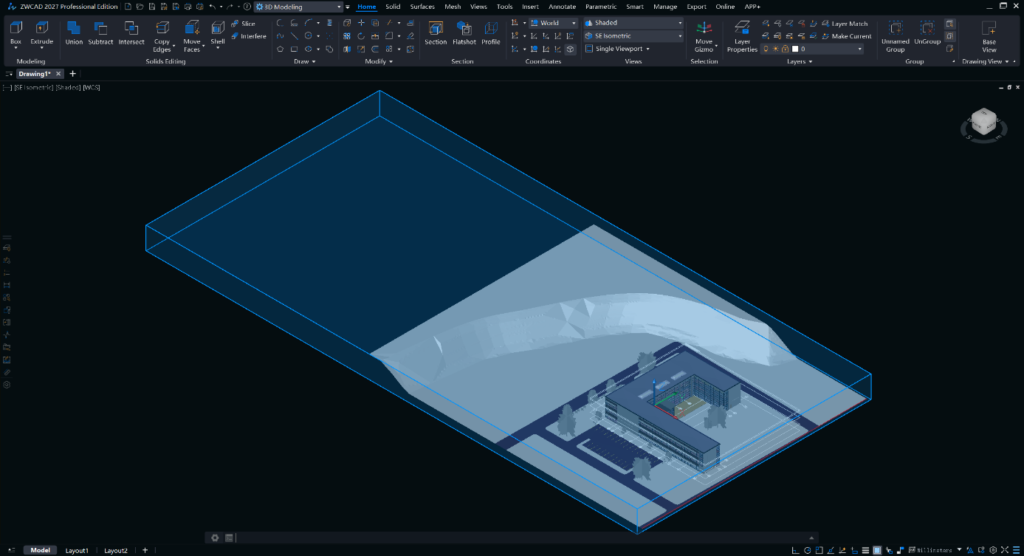
New options, including Section Box and Section Objects, provide greater flexibility in defining the visible areas of 3D models. These capabilities make cross-sectional views more intuitive and convenient, helping users inspect internal model structures more effectively.
6. Xref Display
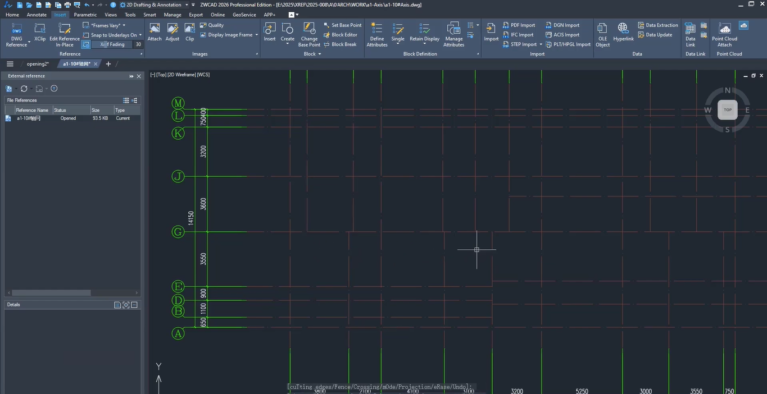
External reference (Xref) management has been enhanced with options to override colors and filter layers when attaching reference files.
ZWCAD 2027 also introduces the Reference Display command and dialog box, enabling users to modify and manage display settings across all attached references simultaneously.
In addition, users can import and export filtering rule sets. This allows display configurations to be established once and reused in future projects, improving consistency and efficiency when managing external references.
7. A Refreshed ZWCAD User Interface
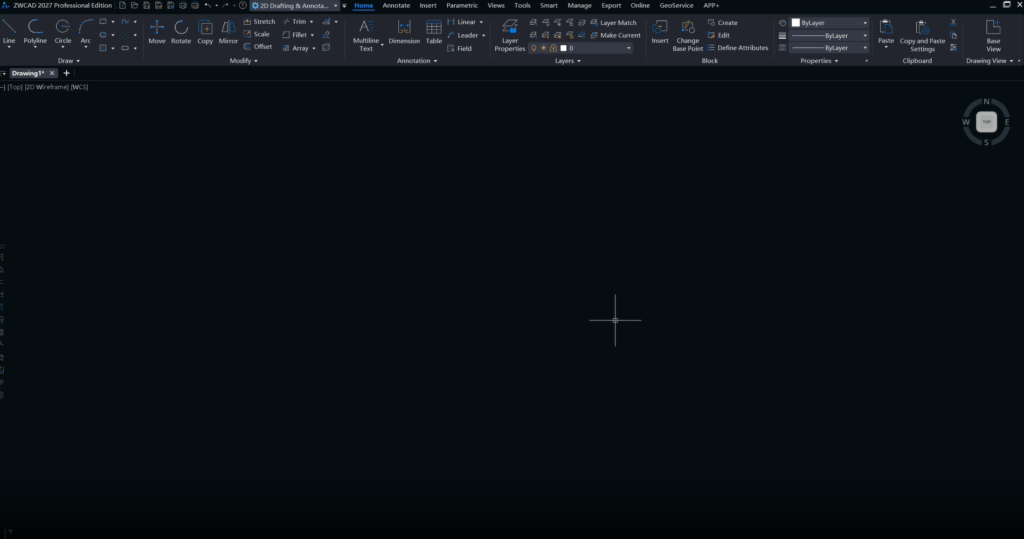
ZWCAD’s user interface has undergone a comprehensive redesign, delivering a more modern and streamlined experience, from application startup to the main drawing workspace.
A unified color scheme, optimized layout, and consistent design language create a more intuitive working environment. The refreshed interface reduces visual distractions and maximizes available workspace for engineers and CAD professionals.
8. Performance Improvements
ZWCAD 2027 Beta delivers significant performance improvements. Common operations such as opening files, panning, zooming, copying, pasting, and moving objects are now up to 50% faster.
For collaborative design workflows, nested editing performance has improved by up to 150%, while non-nested editing is 40% faster. These enhancements help teams work more smoothly and efficiently when handling complex drawings.
9. More Efficient Missing Font Replacement
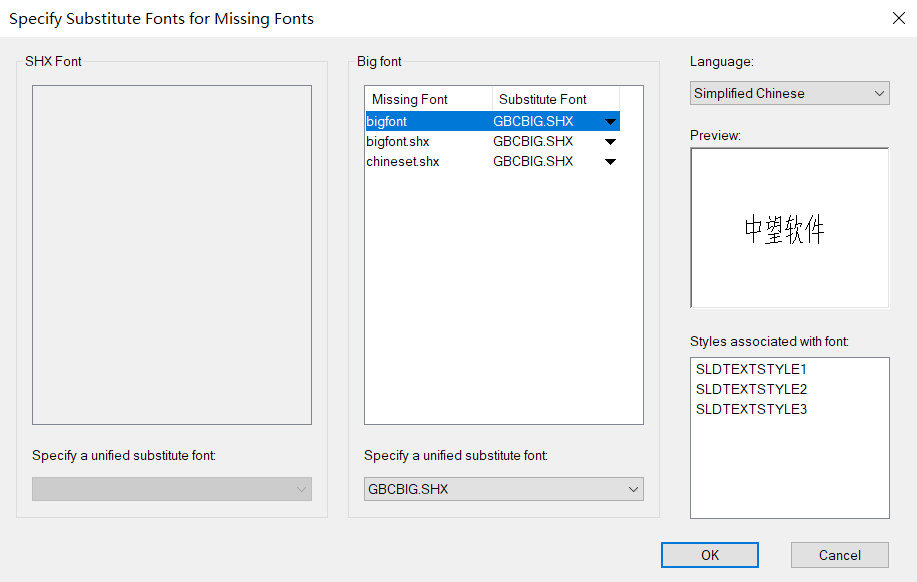
The missing-font dialog box has been redesigned to improve its appearance and usability, making font-related issues easier to resolve.
The one-click replacement feature allows users to apply a consistent fallback font across all locations where fonts are missing. The system also saves these settings automatically for future sessions.
The missing-font list is clearly displayed, allowing users to review all missing fonts at once or customize replacement settings for individual cases. This provides greater flexibility while helping maintain consistency across technical drawings.
10. Enhanced File Compare
The file comparison tool has been improved to support a wider range of objects and additional base-point alignment options in both manual and automatic modes, making drawing comparisons easier and more flexible.
The new Drawing Compare feature enables users to compare different objects (Object Compare) within the same drawing.
The interface has also been refined, allowing users to quickly select any currently open drawing for comparison. In addition, the tool supports reviewing differences involving various object types, including polylines, regions, and proxy entities.
Read more:
- ZWCAD Network License: A Cost-Effective Licensing Solution for SMEs
- Top 3 Best CAD Software Solutions in 2026
- Useful Tips for 2D Mechanical Design in ZWCAD
Conclusion
With substantial performance enhancements, smarter design features, and improved compatibility, ZWCAD 2027 Beta delivers a faster, more flexible, and more precise CAD design environment.
More than a routine software update, this release offers manufacturers and engineering teams opportunities to streamline technical workflows, reduce repetitive tasks, and improve overall design productivity.
Contact Vietbay – the official ZWSOFT distributor in Vietnam, for consultation on licensing and solutions tailored to your business needs