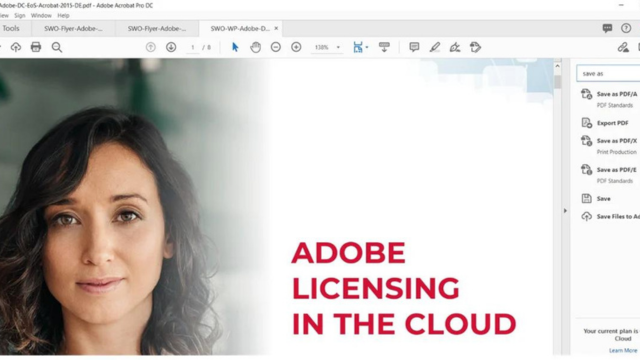

A report spanning dozens of pages may contain exactly the information a business needs, but finding key figures, checking the details, and presenting the findings to colleagues often takes time. In an update announced in September 2026, Adobe introduced new AI capabilities in Acrobat to help people move beyond reading documents to understanding, presenting, and sharing information more effectively.
With Adobe Acrobat AI, documents can be turned into visual reports, audio summaries, or more professionally designed PDFs. These capabilities are particularly relevant to teams that regularly work with reports, proposals, research materials, and customer documents.

Turn long documents into visual reports
Important information is often scattered across pages of text or tables of figures. According to Adobe, Acrobat can analyze documents and create interactive reports, charts, and summary slides that help readers identify key points quickly. From the overview, users can still explore the details when they need to check a specific issue.
For example, a business could use financial reports and growth plans to create a presentation that is easier to follow in a meeting. A marketing team could bring together market research and customer feedback, while an HR team could present survey results or workforce data in a more visual format.

Listen to a summary instead of reading only on screen
Alongside visual content, Acrobat offers more ways to absorb information through audio, including audio summaries, personalized podcast-style content, and read-aloud features. Users can add multiple documents or links to a PDF Space, then ask Acrobat to summarize the material in a format they can listen to while traveling or doing other work.
For example, before a customer meeting, a sales representative could gather project documents, product information, and related reports to hear an overview before reviewing the points that need closer attention. This can help with an initial review; important details should still be checked against the source documents.

Restyle PDFs with Adobe Express
A document can contain valuable information yet still be difficult to read if its layout is dense or lacks clear visual emphasis. The Stylize feature in Acrobat lets users apply Adobe Express design templates to documents such as reports, proposals, invoices, and résumés. According to Adobe, the original content is preserved during the redesign, and users can make further edits before sharing.
For businesses, this can be useful when turning a text-heavy proposal into a clearer document for a customer or preparing a report that is easier for internal teams to follow.
Check the sources behind AI-generated answers
When AI answers a question about a document, users need to know where the information came from. Adobe says answers in Acrobat include clickable citations that lead back to the source content. Adobe also states that customer document data is not used to train its generative AI models.
For contracts, financial reports, or technical documents, teams should review the cited sources and follow their internal approval processes before using AI-generated content to make decisions or share information externally.
What should businesses know about plan availability?
The new features do not mean that every Acrobat license includes the same capabilities. According to Adobe, the audio and visual capabilities are available in Acrobat Studio, Acrobat Express, and Acrobat AI Assistant Plus. Knowledge Base and Analyzer, which are designed to work with large document collections, are available alongside the audio and visual capabilities in Acrobat Studio for enterprise.
If a business primarily uses Acrobat to create, edit, convert, and sign PDFs, it should identify which workflows actually require AI before choosing a plan. Checking the entitlements of an existing license also helps distinguish Acrobat Pro from plans with additional AI capabilities.
From working with PDFs to finding insights in documents
These updates show how Adobe is expanding Acrobat’s role in document workflows: from reading and editing PDFs to summarizing information, presenting it more clearly, and sharing the results. For businesses, the practical value comes from choosing capabilities that fit each team’s document volume and way of working.
Source: Adobe
Learn more
Contact Vietbay for advice on choosing the right solution.