
The Smart Plot feature assists users in batch printing multiple drawings, significantly enhancing the efficiency of the printing process. In this version, we continue to optimize and improve the functionality of Smart Plot, with the following main improvements:
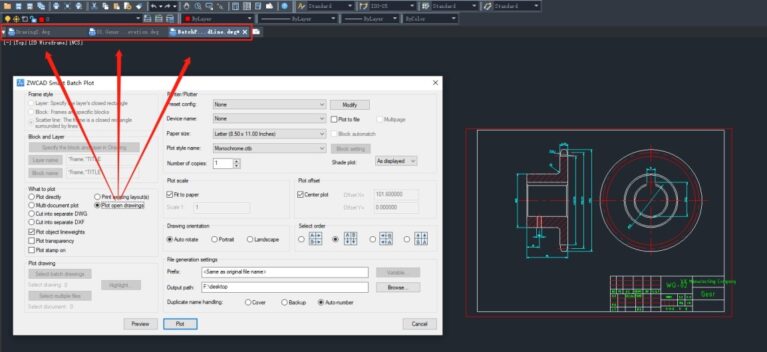
Plot open drawings
The print output options now include the “Plot open drawings” feature, which allows users to directly plot all drawings that are open in ZWCAD.
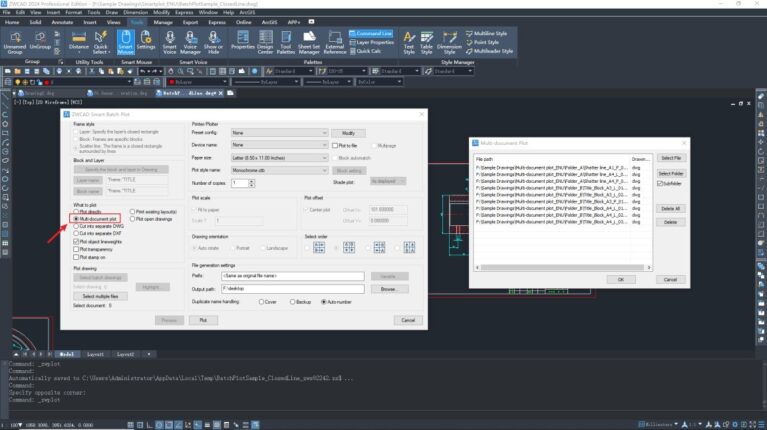
Multi-document plot
The print output options now include the “Multi-document plot” feature, which allows users to simultaneously batch print multiple drawings from different folders, significantly improving the efficiency of multiple drawing printing.
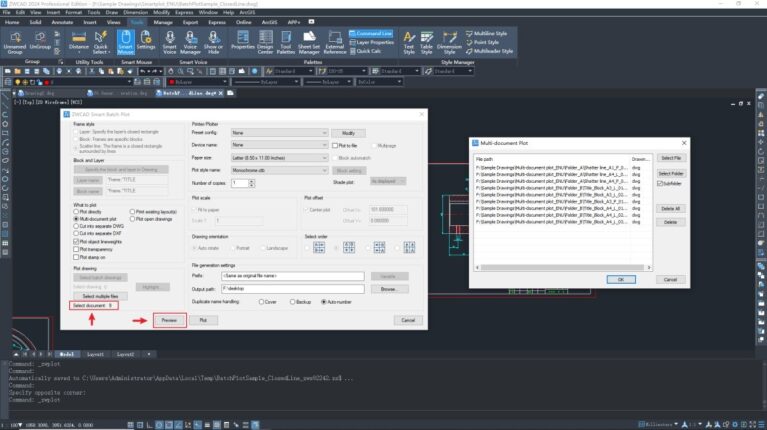
The number of selected drawings will be displayed in the dialog, and users can use the “Preview” feature to verify if the correct drawings have been selected before printing.
Paper Size: “Same drawing size”
When selecting the paper size for printing, a new option “Same drawing size” has been added. When you choose the “Same drawing size” option for printing in a model space that contains drawings with different paper sizes, it will automatically recognize and print the drawings with their respective paper sizes.
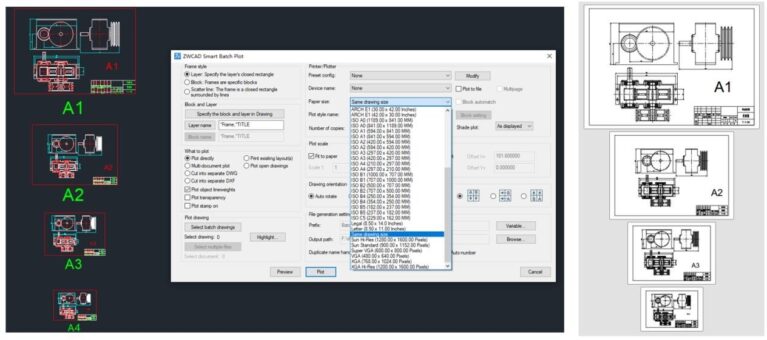
The “Same drawing size” feature of the current version only supports recognizing standard frame sizes with a 1:1 scale for printing. If it fails to identify a standard frame, it will default to printing in A4 size.
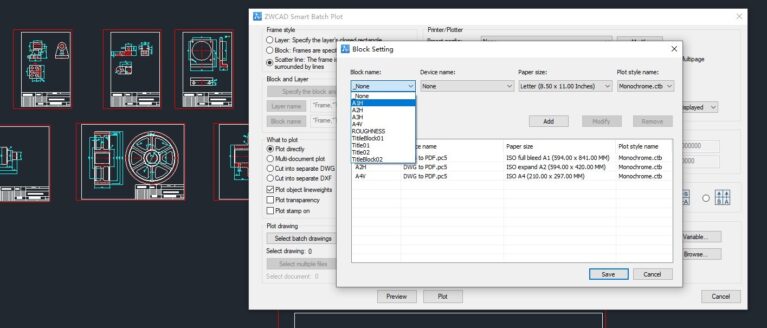
Block Setting: Add dropdown list for block selection
In the Block Setting dialog, a new dropdown list has been added to the “Block name”. Users can associate the block names with relevant print configurations by selecting the appropriate block names.
Refer to other information:
- Sheet Set Manager Optimization
- 3 Reasons Why ZWCAD 2024 Takes the Lead in Efficiency
- What’s new in ZWCAD 2024: Point Cloud
Contact us for free and detailed advice: