
Microsoft 365 Business is available in versions with Microsoft Teams and without Teams. Business Basic, Business Standard, and Business Premium may look similar at first glance, but the Teams entitlement included in each subscription makes an important difference.
Before buying or renewing Microsoft 365, businesses should determine whether employees actually need Teams. Choosing the right version can meet day-to-day requirements while avoiding unnecessary licensing costs.
1. Why does Microsoft 365 offer versions with and without Teams?
Microsoft offers Microsoft 365 Business with Teams and without Teams so organizations can select a collaboration solution that fits their workflows. This is a difference in licensing components, not a difference in the quality of the Office applications.
For example, Microsoft 365 Business Standard (no Teams) still includes desktop Office applications, business email, OneDrive, and SharePoint. What it does not include is a Microsoft Teams license for employees.
In other words, no Teams does not mean no Word, no Outlook, no email, or no cloud storage. Those capabilities depend on whether an organization selects Business Basic, Standard, or Premium.
2. What is included in Microsoft 365 without Teams?
Each no-Teams Business plan retains its core productivity apps and services. The bigger differences between the Basic, Standard, and Premium tiers are desktop application rights and security capabilities.
- Business Basic (no Teams): Web and mobile versions of Word, Excel, PowerPoint, and Outlook; Exchange Online business email; 1 TB OneDrive storage per user; and SharePoint. Full desktop Office applications are not included.
- Business Standard (no Teams): Adds installable desktop versions of Word, Excel, PowerPoint, Outlook, and related Office applications to the core Business Basic services.
- Business Premium (no Teams): Adds more advanced identity, security, and device-management capabilities, including Microsoft Intune and enhanced protection features where applicable.

For organizations primarily using Outlook for email, Word and Excel for documents, and OneDrive for file storage, a no-Teams plan may cover the business’s core requirements.
3. When should a business choose Microsoft 365 with Teams?
Microsoft Teams is valuable for organizations that need a unified space for communication and teamwork rather than relying solely on email or disconnected messaging tools.
- Frequent online meetings: Host internal meetings, connect with customers, and share screens.
- Project communication: Use Teams chat and channels to keep conversations organized by department or project.
- Document collaboration: Bring conversations and files together through integrations with SharePoint and OneDrive.
- Hybrid and distributed work: Connect employees across offices, remote locations, and partner organizations under appropriate access policies.
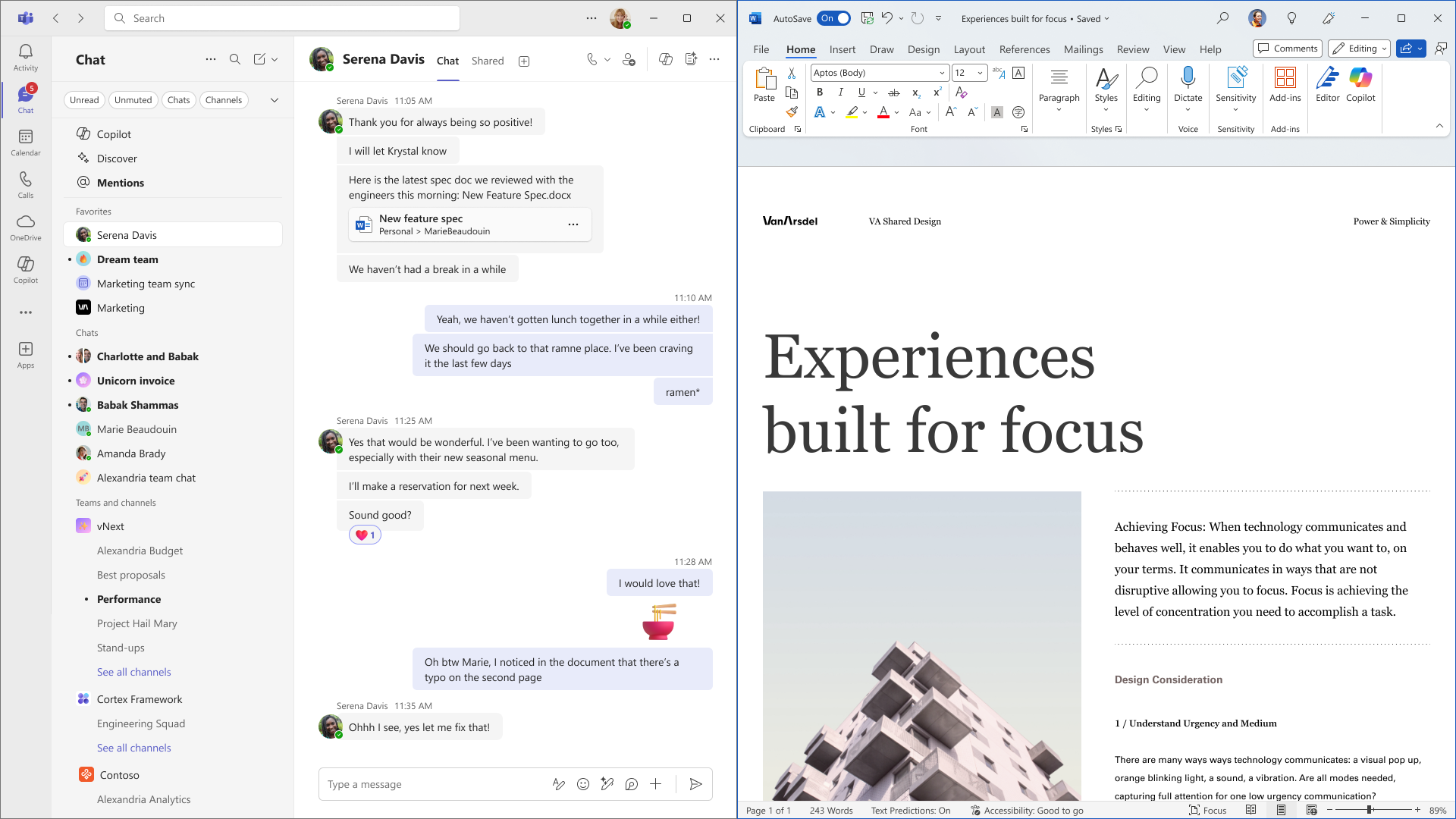
If Teams serves as the organization’s primary communication platform, choosing a plan with Teams from the start can simplify deployment and license administration.
4. Microsoft 365 with Teams vs. without Teams: Comparison
| Feature | With Teams | Without Teams |
|---|---|---|
| Office applications | Based on Basic / Standard / Premium | Based on Basic / Standard / Premium |
| Business email (Exchange) | Included in these Business plans | Included in these Business plans |
| OneDrive 1 TB per user | Included | Included |
| Microsoft Teams for employees | Included under the plan | Teams entitlement not included |
| Internal Teams chat, meetings and channels | Included | Not licensed as part of the plan |
| SharePoint and document collaboration | Included | Included |
| Subscription cost | Usually higher | Usually lower |
Note: This table compares the Teams and no-Teams versions within the same Business tier. Feature differences between Business Basic, Standard, and Premium still apply. Actual pricing depends on region, purchase date, subscription term, and licensing channel.
If a business later decides to add Teams, its administrator should review eligible standalone Teams SKUs or an appropriate subscription change. Being able to install the Teams app or join a meeting as a guest does not, by itself, mean that a user has a business Teams license.
5. Which Microsoft 365 plan offers the best value?
- Employees who only need email and web Office apps: Consider Business Basic (no Teams).
- Employees who need desktop Word, Excel, and Outlook but not Teams: Business Standard (no Teams) is a practical option.
- Employees who meet and collaborate through Teams every day: Consider Business Standard with Teams or another suitable Teams-inclusive plan.
- Organizations with advanced security and device-management needs: Consider Business Premium, then choose the Teams or no-Teams version.
Not everyone in an organization must use the same SKU. IT teams can group employees by role and assign suitable licenses to each user, provided Microsoft’s licensing requirements are met.
Conclusion: Choose Microsoft 365 with Teams when employees genuinely need Teams meetings, chat, and channels. If another communication platform already serves those needs and employees primarily require Office, email, OneDrive, or SharePoint, a no-Teams plan may reduce cost without removing the selected tier’s essential productivity services.
Learn more:
- What does Microsoft 365 Business Basic include?
- Office 2021 end of support: Office 2024 or Microsoft 365?
Vietbay – Microsoft 365 Licensing for Businesses
Vietbay helps organizations assess user requirements, compare Business Basic, Standard, and Premium, and choose the right versions with or without Teams to optimize licensing costs.