
Are you using Word, Excel, or PowerPoint but unsure whether Microsoft Office on your computer is genuinely licensed? This question is especially common with preinstalled Office, second-hand computers, and devices that have used multiple Microsoft 365 accounts.
This guide explains how to check whether Office is licensed on Windows 10 and Windows 11, from the simple checks available in Word to command-line diagnostics for Microsoft 365 Apps and Office LTSC.
An important distinction: Activated means Office currently reports an accepted activation state. Properly licensed means that you or your organization have the appropriate usage rights from a legitimate source. Seeing Product Activated by itself does not conclusively prove that a license was legally obtained.
1. Check the Office activation status in Word or Excel
This is the quickest method for most Microsoft 365, Office 2024, Office 2021, and other Office users on Windows.
- Open Microsoft Word or Excel.
- Choose File > Account. Depending on the Office interface, you may see Office Account instead.
- Find the Product Information section.
- Note the product name and activation status displayed.
If you see Product Activated, Office is currently activated. With subscription-based Microsoft 365, the page may instead show Subscription Product, an account name, or license management options rather than that exact phrase.
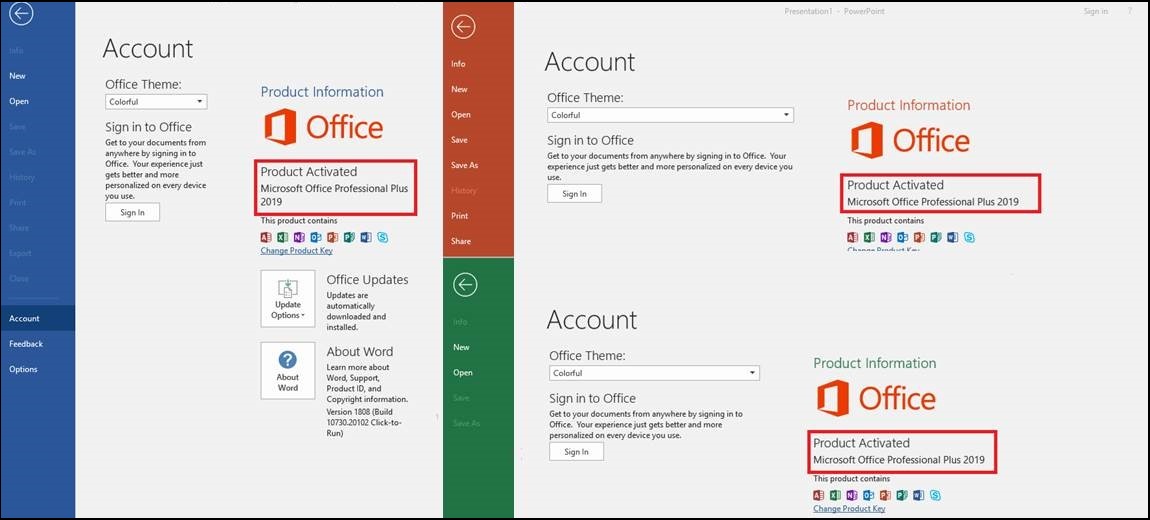
If Product Information shows Unlicensed Product, Activation Required, View Only, or another prompt to activate Office, the installation is not currently in a fully activated state.
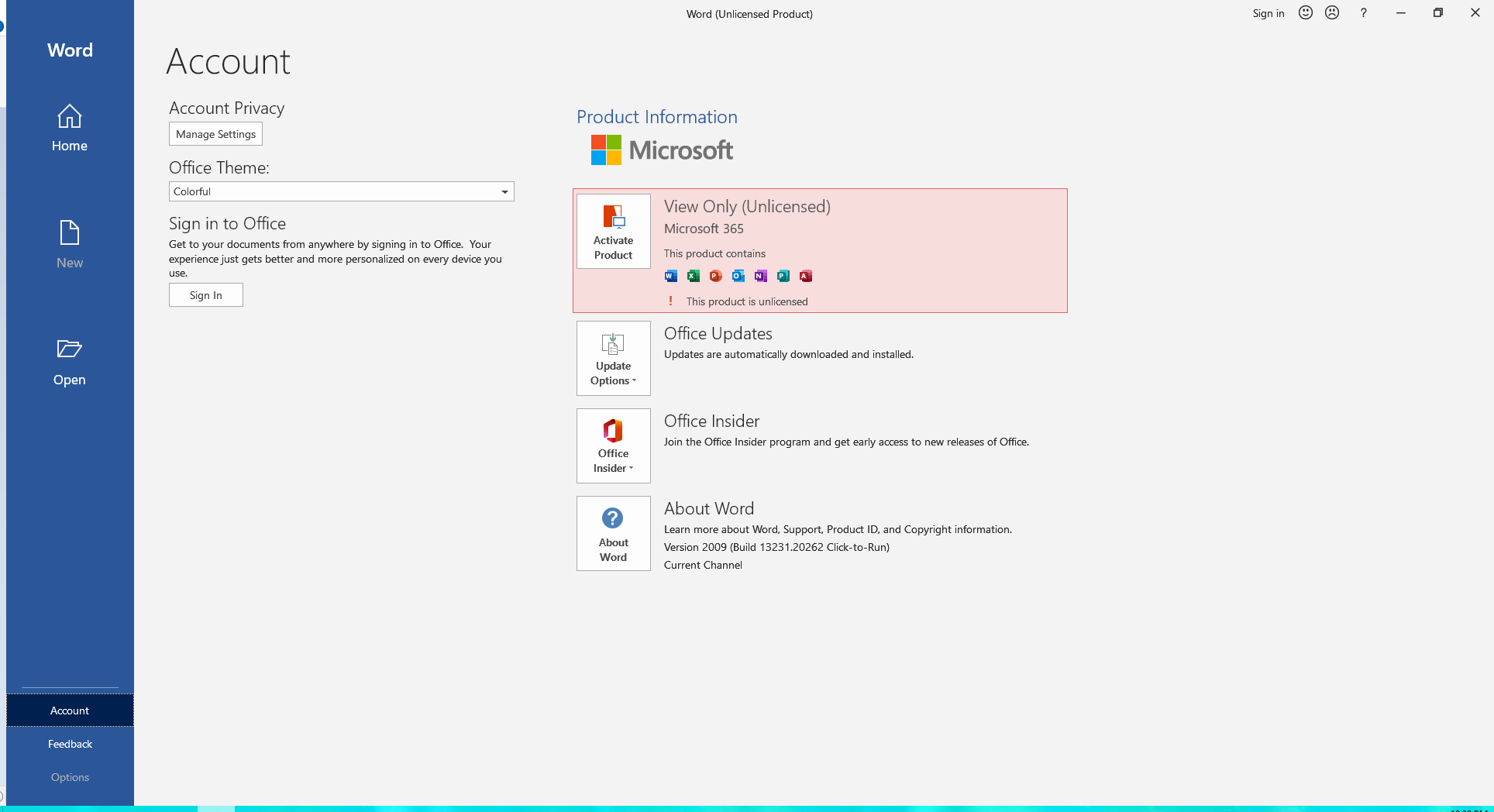
Note: Activation warnings may also appear because you signed in with the wrong account, your subscription has expired, or an authentication problem prevents Office from checking your license. Do not automatically assume an installation is pirated simply because it displays Unlicensed Product.
2. Verify whether your Office license is legitimate
To determine who is entitled to use Office and whether that right is still valid, you need to check the license itself, not just the activation message.
Scenario 1: Microsoft 365 Personal, Family, or a one-time Office purchase
- Visit account.microsoft.com/services.
- Sign in with the personal Microsoft account used to purchase, redeem, or activate Office.
- Review Services & subscriptions to see the Microsoft 365 and Office products associated with the account.
- For Microsoft 365, check the subscription status and renewal information. For a one-time purchase such as Office Home 2024, confirm the associated product and retain your proof of purchase.
If Office does not appear, consider whether you originally activated it with a different Microsoft account. Not finding a product under your current account does not, on its own, prove that it is counterfeit.
Scenario 2: Office provided by your employer or school
For work or school Microsoft 365 accounts, open Word and select File > Account to check the signed-in organizational identity. You can also review account information at myaccount.microsoft.com.
To verify actual usage rights, an IT administrator should check the user’s assigned licenses in the Microsoft 365 admin center and confirm that the subscription includes desktop Office applications. Not all Microsoft 365 plans provide the right to install desktop versions of Word, Excel, and PowerPoint.
Scenario 3: Office LTSC or a volume-licensed Office edition
Organizations commonly deploy Office LTSC Standard or Professional Plus using volume licensing. Administrators should compare their purchase agreements, license entitlements, permitted products, and activation methods (MAK, KMS, or Active Directory-based activation) with the actual deployment.
MAK and KMS are legitimate Microsoft volume-activation methods when used under appropriate licensing rights. Therefore, seeing VOLUME_KMSCLIENT in a diagnostic result does not automatically indicate a cracked copy. The organization must still verify the license entitlement and the legitimacy of its KMS infrastructure.
3. Check Microsoft 365 Apps licensing with PowerShell
For modern Microsoft 365 Apps installations that use the newer activation method, Microsoft documents the vnextdiag.ps1 script. The older ospp.vbs /dstatus check is not an appropriate primary method for determining the subscription activation status of modern Microsoft 365 Apps.
- Open the Start menu, search for Windows PowerShell, and launch it.
- Navigate to the folder containing the diagnostic script:
cd "C:\Program Files\Microsoft Office\Office16"If you use 32-bit Office on 64-bit Windows, try:
cd "C:\Program Files (x86)\Microsoft Office\Office16"- Run the following read-only command:
.\vnextdiag.ps1 -action listThe output can report the license type (such as User|Subscription), product name, Licensed status, the activating user, and associated tenant identifiers. Output may differ between enterprise and consumer subscription products.
If vnextdiag.ps1 cannot be found: confirm your Office version and installation directory. Microsoft includes this script in Microsoft 365 Apps starting with Version 2104; do not download replacement scripts from unknown websites.
Privacy tip: Before sharing a diagnostic result in a public support forum, hide email addresses, tenant IDs, and other identifying information.
4. Check Office LTSC 2024 or 2021 licensing with CMD and ospp.vbs
For Office LTSC 2024/2021 and other volume-licensed Office editions, Microsoft provides the ospp.vbs script to inspect activation information.
- Search for Command Prompt, right-click it, and select Run as administrator.
- Navigate to the Office installation directory:
cd /d "C:\Program Files\Microsoft Office\root\Office16"If that directory is not present and you installed 32-bit Office on 64-bit Windows, try:
cd /d "C:\Program Files (x86)\Microsoft Office\root\Office16"Some older Office installations use a directory without the root segment.
- Run the activation-status check:
cscript ospp.vbs /dstatusTo see all installed Office license information, use:
cscript ospp.vbs /dstatusallLook for LICENSE NAME, LICENSE DESCRIPTION, LICENSE STATUS, and Last 5 characters of installed product key, when available.
- LICENSE STATUS: —LICENSED— indicates that Office currently reports an activated license.
- NOTIFICATIONS, GRACE, or another status requires further investigation into activation conditions, renewal, and any accompanying error.
- VOLUME_KMSCLIENT / VOLUME_MAK identifies an activation channel. Neither value alone proves that an installation is legitimately or illegitimately licensed.
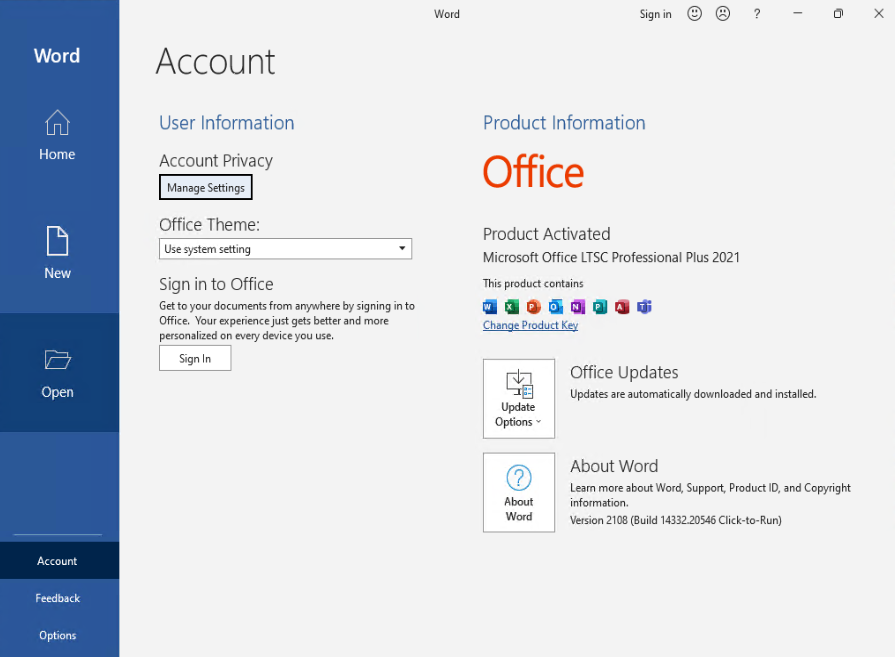
Important: These commands only inspect licensing information; they do not require entering or removing keys or changing the activation server. For retail Office Home 2024/2021, prioritize File > Account, the Microsoft account associated with the purchase, and purchase documentation rather than relying on ospp.vbs to establish retail-license legitimacy.
5. Signs your Office installation may not be properly licensed
- Word or Excel displays Unlicensed Product, Activation Required, or allows viewing but not editing documents.
- Office displays a Get genuine Office warning asking you to verify the authenticity of your installation.
- A seller offers only an unusually cheap product key without valid proof of purchase or an explanation of the license type and usage rights.
- Office was activated with an unknown third-party tool or an installer that required you to turn off Windows Security.
Not every sign above means Office is counterfeit. Unlicensed Product, for example, can also appear when a subscription expires or the wrong account is signed in. If you receive a Get genuine Office warning, review your purchase information and Microsoft’s official guidance.
6. Frequently asked questions
Does Product Activated guarantee that Office is genuine?
No, not by itself. Product Activated reports an activation state. To verify legitimate licensing, check the account entitled to use the product, purchasing records, and any applicable company license agreement.
Can I check Microsoft 365 Personal or Family with CMD?
For personal use, the clearest approach is Word > File > Account together with Services & subscriptions. Microsoft’s vnextdiag.ps1 documentation addresses Microsoft 365 Apps using the newer activation method; do not assume volume-licensing commands apply to every Microsoft 365 edition.
Does KMS activation mean Office is cracked?
Not necessarily. KMS is an official Microsoft volume-activation technology when an organization holds appropriate licenses and uses an authorized activation infrastructure. On the other hand, a personal PC connecting to an unknown KMS server is not proof of legitimate licensing.
What should I do if Office is not activated?
Check the signed-in account, subscription status, licenses assigned by your organization, and network connectivity. If installation itself fails, see our guide on fixing Office installation error 30068, or ask IT to review the issue before uninstalling anything.
Conclusion
To check whether Microsoft Office is properly licensed, use two separate checks: (1) inspect activation status under File > Account and (2) confirm the right to use the product through your Microsoft account, organizational license entitlements, or purchase documentation. For IT administrators, use the appropriate diagnostic tool: vnextdiag.ps1 for Microsoft 365 Apps and ospp.vbs for volume-licensed Office.
For help with Microsoft 365 and Office licensing, license verification, or enterprise deployment, contact Vietbay.