
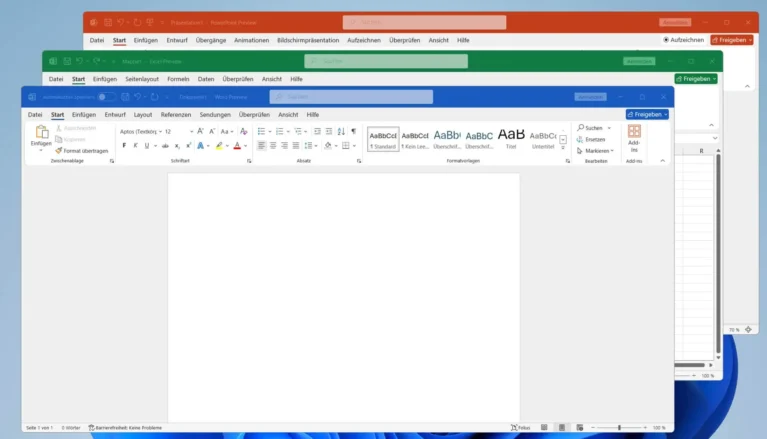
Microsoft officially ended support for Microsoft 365 apps on Windows 10 on October 14, 2025. While your apps will still open, Microsoft no longer provides updates, bug fixes, or stability guarantees.
If you cannot upgrade your operating system, you have three immediate alternatives:
-
Use the web-based versions of Microsoft 365.
-
Switch to open-source software like LibreOffice.
-
Install the standalone Microsoft Office 2024 package, which retains Windows 10 compatibility for the next few years.
1. The Risks of Staying on Windows 10
Running unsupported software creates active operational risks. Microsoft explicitly warns of progressive “performance and reliability issues.” To keep receiving new features and security patches for Microsoft 365, upgrading to Windows 11 is now mandatory.
Microsoft 365 is already unsupported on Windows 7, Windows 8, and Windows 8.1. Microsoft ended support for Windows 8 on January 12, 2016, and Windows 8.1 on January 10, 2023.
Although Windows 10 officially reached its end of support (EOS), Microsoft has granted a limited grace period for Microsoft 365 applications:
-
Security Updates Only: Microsoft 365 apps on Windows 10 will continue receiving critical security patches until October 10, 2028. However, they will not receive any new features, and Microsoft warns of eventual performance issues.
-
OneDrive Deadlines: For devices on Windows 10 version 22H2, the OneDrive desktop app is supported through October 2028. For older Windows 10 versions, OneDrive updates officially ceased on August 15, 2026.
2. Windows 11: System Requirements and Extended Security Update
Microsoft heavily marketed 2025 as the year to buy a new Windows 11 PC. However, strict hardware requirements left many older devices ineligible for the upgrade. To protect devices stuck on Windows 10, Microsoft launched the Extended Security Update (ESU) program:
-
Individuals: Pay a $30 fee to receive critical security patches through 2026.
-
Businesses: Purchase up to three years of extended security updates.
Without ESU, any Windows 10 PC is left completely vulnerable to emerging cyber threats.
Contact Vietbay for consultation on Microsoft 365 licensing, Windows 11 upgrades, and secure data migration
3. Microsoft’s Perspective
This aggressive push for hardware upgrades was clearly outlined at CES 2025 by Yusuf Mehdi, Microsoft’s Consumer Chief Marketing Officer: “I believe that one of the most important pieces of technology people will look to refresh in 2025 isn’t the refrigerator, the television, or their mobile phone. It will be their Windows 10 PC, and they will move forward with Windows 11.”
As we move through 2026, upgrading to Windows 11 – or paying for ESU – is no longer just a hardware trend; it is a mandatory cybersecurity requirement.
(Source: Howtogeek)
Read more:
- 7 Useful Microsoft 365 Features to Try in 2026
- 5 ways to secure identity and access Microsoft for 2026
Contact us for free and detailed advice: