
With the launch of Designcenter Solid Edge 2026, a series of breakthrough features are being introduced to users. In today’s article, let’s explore the most notable improvements powered by Artificial Intelligence (AI).
Work Smarter and Achieve Better Performance with AI
Designcenter Solid Edge 2026 brings AI directly into the areas where you need it most, helping you save time, reduce manual operations, and keep your design workflow moving forward.
Assemble components in just seconds with Magnetic Snap Assembly, a tool that automatically identifies the correct mate type so you no longer need to configure constraints manually. Let Automatic Drawing streamline your drawing creation process, giving you more time for design work and less time for documentation.
And when you need assistance, Design Copilot, the AI-powered assistant integrated into Designcenter X Solid Edge, provides real-time answers, tips, and guidance—keeping you on track without interruptions or guesswork.
Design Copilot
The AI conversational assistant for Designcenter X Solid Edge 2026 is an intuitive in-app support tool that provides guidance and product assistance without leaving the design environment. Real-time communication ensures quick responses, enabling timely and effective problem solving.
Design Copilot understands user questions expressed in natural language and responds directly in the user’s preferred language. It can also generate follow-up questions based on previous context, creating a more interactive and personalized support experience.
Available in all Designcenter X Solid Edge packages—Standard, Advanced, and Premium—Design Copilot leverages advanced Generative AI technology, RAG (Retrieval-Augmented Generation), and continuous learning capabilities. These technologies ensure the assistant remains at the forefront of innovation, delivering reliable support and helping users work more efficiently.
Automatic Drawings
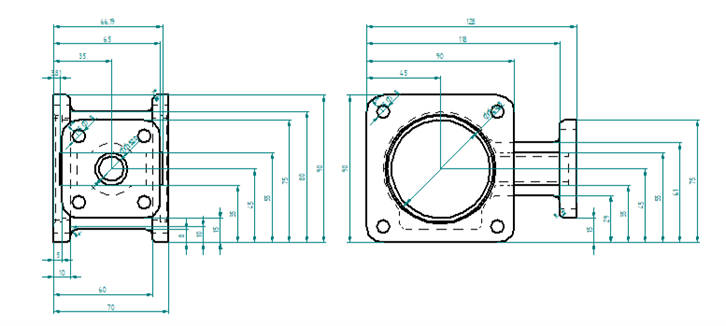
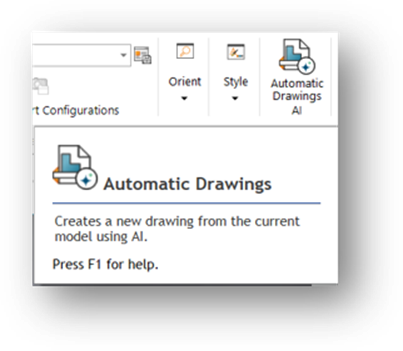
The automated 2D drawing generation feature is now available with an intuitive and streamlined workflow. Users can select templates, paper sizes, their desired view types, and optionally apply automatic dimensions to all system-predicted views.
With built-in AI, the system automatically generates approximately 70–80% of a complete 2D drawing, including orthographic views, broken views, isometric views, dimension placement, and template selection. This significantly reduces manual work while ensuring compliance with technical drawing standards.
Once configured, the system automatically produces drawings according to the chosen parameters while still allowing further customization to match user preferences. This optimized workflow reduces manual effort, minimizes errors, and enhances overall efficiency in 2D drawing creation.
Magnetic Snap Assembly
The new Magnetic Snap Assembly command accelerates the assembly process by allowing multiple mates to be created in a single operation. Components can automatically snap and mate to faces or edges directly within the assembly environment, reducing manual steps.
Integrated AI enhances the workflow by assisting with constraint assignment, eliminating the need to configure each mate individually. The command automatically applies multiple constraints based on adjacent faces or edges, making assembly modeling faster and smoother.
Magnetic Snap Assembly supports five geometry types: planar faces, cylindrical surfaces, straight edges, circular edges, and coordinate systems. This flexibility enables quick, efficient assembly creation with fewer repetitive actions.
Read more:
Contact us for free and detailed advice: