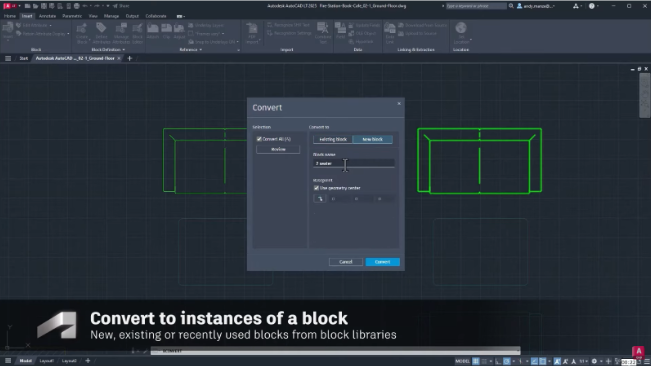

Autodesk has introduced the AutoCAD 2027.1 update, bringing new improvements to help you work more efficiently. Built on the solid foundation of AutoCAD 2027, this update features a smarter Autodesk Assistant experience, enhancements to collaboration and connected workflows, and usability and performance improvements based on customer feedback and suggestions.

Whether you are creating new designs, reviewing drawings with colleagues, or simply looking to save time on repetitive tasks, AutoCAD 2027.1 delivers practical improvements that enhance the overall CAD experience.
A smarter Autodesk Assistant
In AutoCAD 2027.1, Autodesk continues to enhance Autodesk Assistant, making it smarter and more useful. In this release, the Assistant is more visually intuitive and provides content that is relevant to your work context. It helps users explore features, ask questions, and learn new workflows more effectively without interrupting their work.
Discover helpful guidance with Proactive Assistance
The Insights feature—which provides personalized learning content and guidance based on your activity in AutoCAD—is now integrated into Autodesk Assistant. Instead of having to search for help materials yourself, you receive relevant tips and suggestions as you work, helping you discover useful features you may not have known about.
You can also learn more about how Autodesk Assistant uses your data through the AI Transparency Card. These cards provide details about how AI features work, the data sources they use, and the privacy and security measures applied to Autodesk’s AI features. Autodesk also provides detailed documentation to help users better understand the AI Transparency Cards.
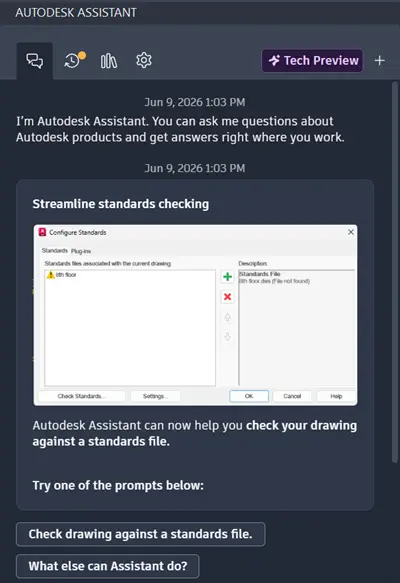
Smart suggestions help you get started faster
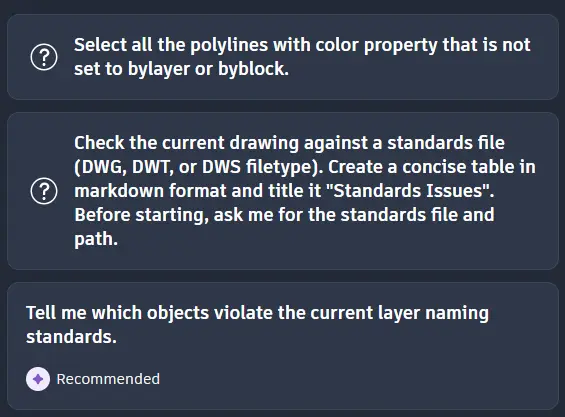
AutoCAD 2027.1 adds suggested starter prompts to help you begin a conversation with Autodesk Assistant. By offering relevant questions and workflows, the Assistant helps you find the answers you need quickly while introducing more of its increasingly powerful AI capabilities.
A smarter contextual AI experience
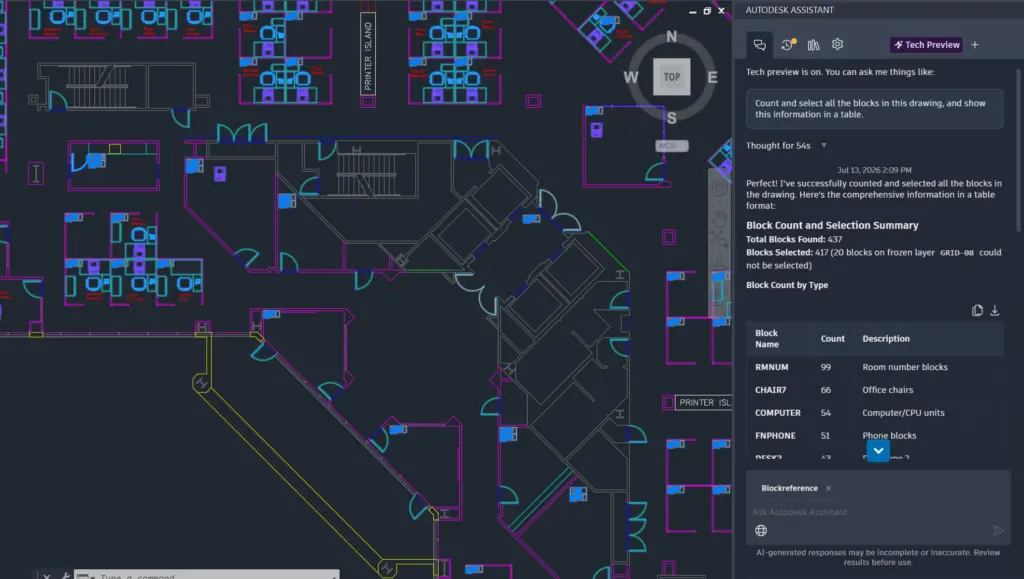
AutoCAD 2027.1 continues to expand its contextual AI experiences, including selection-aware interactions and enhancements to the Count and Query features. These improvements make it easier to explore, search, and work directly with drawing data as part of your design workflow, helping improve efficiency and reduce manual tasks.
Collaborate more effectively on shared drawings
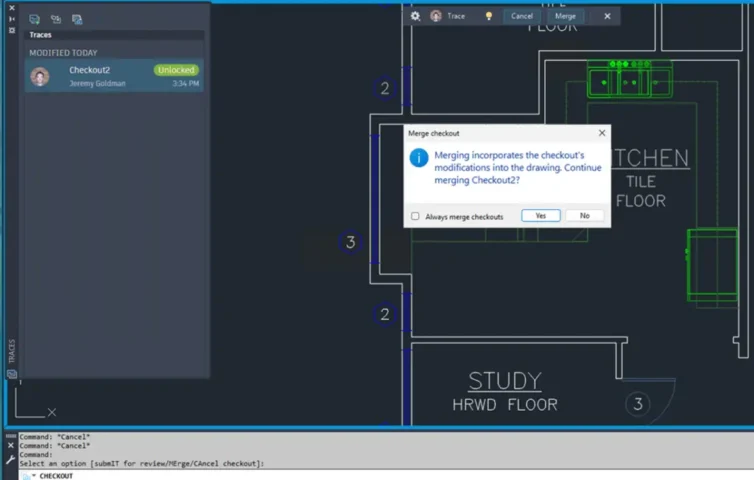
AutoCAD 2027.1 further improves collaboration through enhancements to Checkout—introduced in AutoCAD 2027, this feature lets users edit and propose changes to specific objects in a drawing that another user has open for editing—and Connected Support Files. These improvements help reduce friction when working on shared projects and enable teams to coordinate changes more effectively and reliably.
Key improvements include:
- Improved workflows for read-only drawings when using Checkout.
- Automatic opening of the Trace Palette during the Checkout workflow, making it easier to review and track changes.
- Prevention of Checkout for newly created but unsaved objects, helping avoid errors or data loss.
- Improved filtering of checked-out objects in Find and Replace, making it easier to find and manage objects.
- Support for subfolders in Trusted Locations when using Connected Support Files, providing greater flexibility for managing and sharing project support files.
Customer feedback drives the improvements they asked for
AutoCAD 2027.1 includes many features requested by the user community, making everyday design and drawing-editing tasks faster and more intuitive.
Key improvements include:
- Edit properties across multiple sheets: Update properties in Sheet Set Manager across multiple drawing sheets with fewer steps.
- Ctrl + A in Attribute Editor: Quickly select all text when editing an attribute value.
- Edit polylines with grips: Extend or modify a Polyline more intuitively with the new Grip workflow.
- Clearer Dynamic menus: The improved menu interface makes commonly used editing commands easier to identify and use.
- New options in the Lengthen command: Additional options provide greater flexibility when editing geometry.
- Faster ARRAY editing: Performance improvements make direct editing of Array objects smoother and more responsive.
- Improved SAVEAS command: The Full Save workflow helps reduce DWG file size and improve drawing data stability and integrity.
Improved performance, stability, and quality
In addition to new user-facing features, AutoCAD 2027.1 includes stability improvements, maintenance updates, and security patches. Core design workflows have also been optimized to deliver a faster, more stable experience and provide a foundation for future improvements.
Contact Vietbay for direct consultation.